
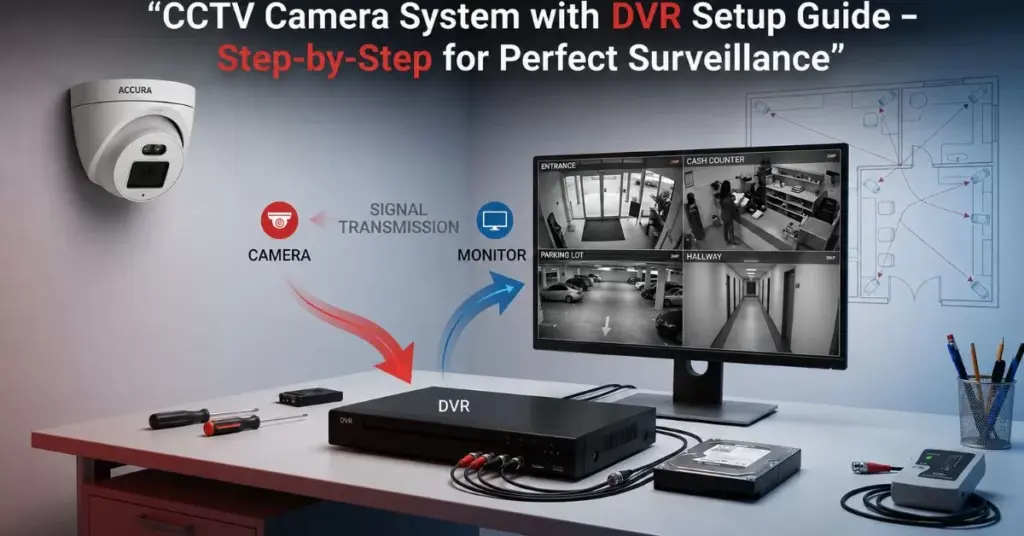
A CCTV camera system with DVR setup guide is one of the most searched needs for homes, shops, offices, schools, and warehouses today. If you want reliable monitoring, recorded evidence, and 24/7 protection without depending on the internet, a DVR-based setup is still the most practical and cost-effective solution.

This guide is written with real installation experience, simplified steps, and expert tips so you can confidently install, understand, and maintain your Security Camera System like a professional.
Why Choose a DVR-Based Security Camera System?
Even with modern IP cameras and cloud options, DVR systems remain popular because they are:
- Stable and less dependent on internet speed
- Cost-effective for multi-camera installations
- Easy to maintain and expand
- Perfect for shops, homes, offices, and factories
- Ideal for long-hour continuous recording
A well-planned smart CCTV Camera system with DVR gives you local storage, remote viewing, and reliable surveillance without monthly costs.

Components Required for DVR Setup
| Component | Purpose | Expert Tip |
|---|---|---|
| DVR (Digital Video Recorder) | Records footage from cameras | Choose H.265+ compression for more storage |
| Surveillance cameras | Capture video | Use metal body for outdoor durability |
| SMPS Power Supply | Powers all cameras | Keep 20% extra power capacity |
| BNC + DC Connectors | Video & power connection | Use good-quality copper connectors |
| Coaxial Cable / Siamese Cable | Transmits video & power | Avoid cable joints for signal clarity |
| Hard Disk (Surveillance Grade) | Stores recordings | Use 1TB+ for 4 cameras minimum |
| Monitor / TV | Live view and setup | HDMI preferred for clarity |
| Router (optional) | Remote mobile viewing | Required for app access |
DVR vs NVR (IP Cameras) — Quick Comparison
| Feature | DVR System | NVR with IP Cameras |
|---|---|---|
| Camera Type | Analog surveillance cameras | IP cameras (digital) |
| Cabling | Coaxial cable | LAN cable (Cat6) |
| Cost | Lower | Higher |
| Internet Need | Not required for recording | Required for setup |
| Video Quality | Up to 5MP/8MP | 2MP to 12MP+ |
| Installation | Easier | Slightly technical |
| Best For | Shops, homes, offices | Large campuses, smart setups |
Step-by-Step DVR Installation (Flow Chart)
Camera Placement Planning
          ↓
Cable Laying (Camera to DVR)
          ↓
Connector Fixing (BNC + DC)
          ↓
Connect Cameras to DVR Ports
          ↓
Install Hard Disk in DVR
          ↓
Connect DVR to Monitor
          ↓
Power ON System (SMPS)
          ↓
DVR Initial Settings (Date/Time/Record Mode)
          ↓
Mobile App Setup for Remote View
Camera Placement Tree Map (Planning Guide)
Property Area
├── Entrance
│   └── Wide angle surveillance cameras
├── Cash Counter / Reception
│   └── Focus view camera
├── Parking / Outdoor
│   └── Weatherproof metal camera
├── Hall / Workspace
│   └── Dome camera ceiling mount
└── Store Room / Backyard
    └── Night vision camera
Proper planning ensures no blind spots in your Security Camera System.
DVR settings for smart CCTV system recording
- Set recording mode to Motion + Continuous
- Enable overwrite when storage is full
- Adjust resolution to 1080p or higher
- Set correct date & time
- Create password for DVR login
- Enable QR code / P2P for mobile viewing
- Format HDD before first use
These settings make your smart CCTV system efficient and secure.

Common mistakes in CCTV camera system with DVR setup
- Using low-quality cables (causes video noise)
- Installing cameras too high or too low
- Ignoring night vision distance
- Not using surveillance-grade HDD
- Poor power supply causing camera flicker
- Skipping earthing for outdoor cameras
When to upgrade from DVR setup to IP cameras
Consider IP cameras if you need:
- Ultra HD clarity (8MP+)
- Audio recording
- PoE (single cable power + video)
- Cloud backup
- Advanced analytics (face detect, line crossing)
Otherwise, a DVR with surveillance cameras is more than sufficient for most properties.
Maintenance Checklist
- Clean camera lenses
- Check cable joints
- Verify recording playback
- Check HDD health status
- Update DVR firmware if available
- Test mobile app live view
Who Should Use a DVR CCTV Setup?
- Retail shops
- Homes & apartments
- Schools & colleges
- Warehouses
- Small offices
- Clinics & hospitals
This CCTV camera system with DVR setup guide fits perfectly for all these environments.
Final Expert Tips
- Always buy cameras and DVR from the same brand for compatibility
- Prefer metal body cameras for long life
- Label each camera cable during installation
- Keep DVR in a ventilated, dust-free place
- Use UPS backup for uninterrupted recording
Conclusion
A properly installed CCTV camera system with DVR setup guide ensures your property stays protected day and night with reliable recording, easy playback, and remote access. Whether you are installing for a home, shop, or office, a DVR-based Security Camera System with quality surveillance cameras delivers dependable performance without complexity.
For durable, professional-grade solutions designed for Indian conditions, choose ACCURA CCTV products for long-lasting safety and peace of mind.